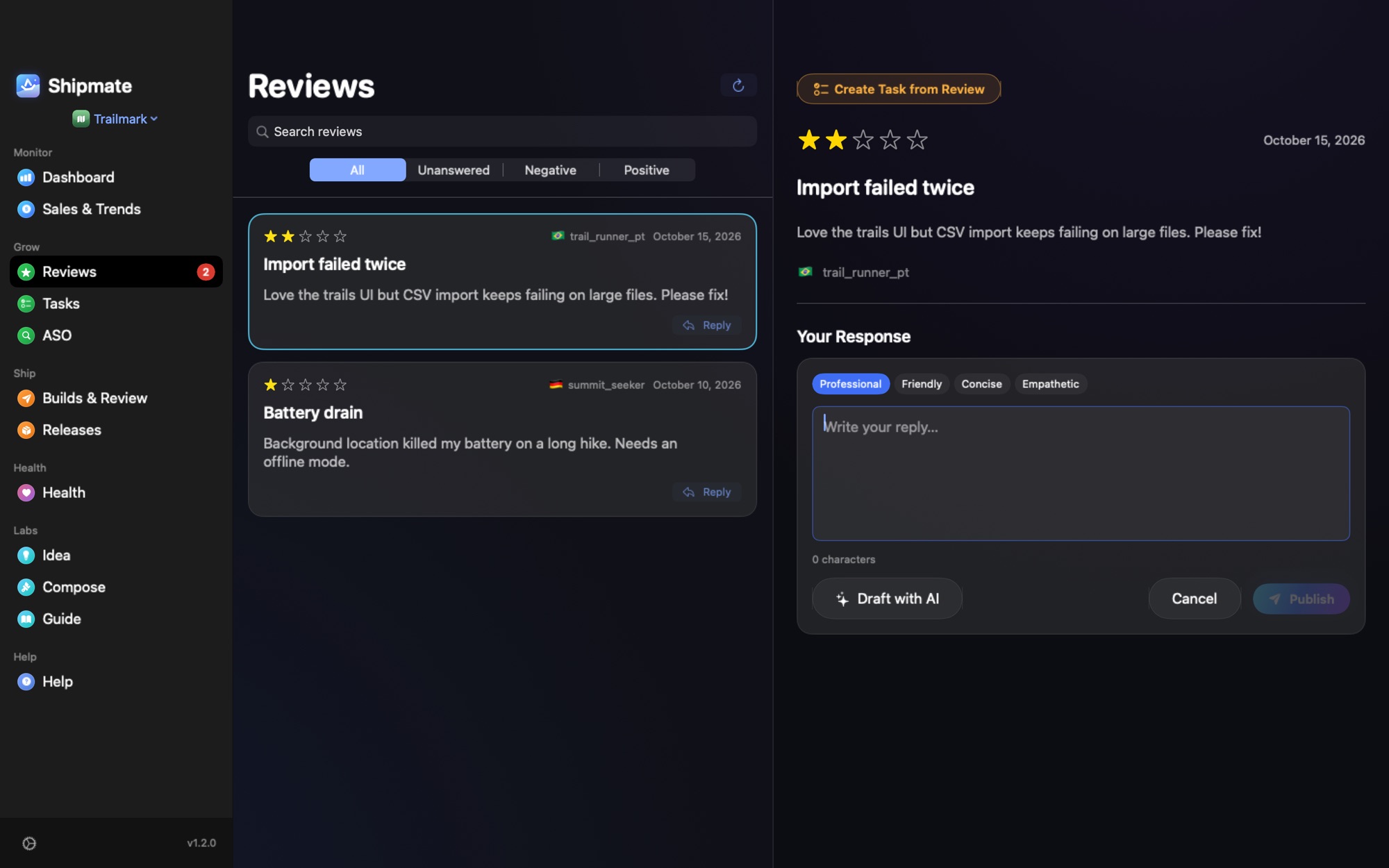
Replying to reviews is one of the few marketing actions that is free, fast and visible on your product page. It is also easy to do badly. This guide covers the practical side for indie developers: where the reply goes, how to structure it, and templates for the review types that show up every week.
Where you reply
You answer reviews in App Store Connect, in the app's Ratings and Reviews section. Per Apple, the Account Holder, Admin and Customer Support roles can respond. Your response is public, can be edited or deleted later, and can take up to 24 hours to appear on the App Store; until then it shows as pending in App Store Connect.
Replying notifies the reviewer, who can then update their review. Your response stays visible even if they edit it, so write every reply as if a future customer will read it, because one will.
You cannot delete a customer's review. For offensive or spam reviews, Apple recommends the Report a Concern option rather than a reply.
Source: Apple, Respond to reviews.
Which reviews to answer first
- Low ratings that describe a bug or a missing feature. They are the ones where a short, specific answer changes the page's impression.
- Reviews that ask a question. Answer it; other readers had the same one.
- Positive reviews. A short thank-you is fine, but do not spend the first hour of your day on these.
Guides from Appbot, Helm and AppTweak all start from the same order: negative first, with a specific, calm answer.
A structure that works
- Acknowledge the specific problem in the reviewer's words, not a generic "sorry for the inconvenience".
- Say what you know. Whether it is fixed, planned or something you cannot reproduce.
- Give a next step. A support address, a setting to check, or the version that fixes it.
- Keep it short. Two to four sentences. Nobody reads a wall of text under a review.
Templates to adapt
Bug report
> Thanks for the detail. The crash when exporting on iPad is a bug on our side, and the fix is in version 2.4.1. If it still happens after updating, write to support@example.com with your iPad model and we will look at it right away.
Feature request
> Thank you for the suggestion. Dark mode for widgets is on our list but not scheduled yet. We keep every request like this one in view when we plan updates.
Angry or unfair review
> We are sorry this was frustrating. The app should not have lost your data, and we would like to understand what happened. Please write to support@example.com so we can help directly.
Positive review
> Thanks, this is exactly the kind of use we built it for. If you have an idea for what to improve, send it our way.
Replace the specifics with your own. A reply that could be pasted under any review looks worse than no reply.
What never to do
- Do not ask for a higher rating or offer something in exchange for changing it. It is bad practice and against the spirit of the rules.
- Do not argue. Even when the reviewer is wrong, the audience is the next customer, not the reviewer.
- Do not paste personal data, and keep marketing language out. Apple advises concise, respectful replies without either.
- Do not copy and paste the same text under every review. Readers notice.
- Do not invent a fix. Only promise what you have decided to ship.
Reply in the language of the review when you can. A short, correct answer in the reviewer's language says more than a long one in yours.
How to keep up without losing a morning
The hard part is not the writing, it is noticing. Reviews arrive in ten countries and App Store Connect does not push the unanswered ones to you. A routine that works: once a day, filter for unanswered and low-rated, answer those, and leave the rest for later.
Frequently asked questions
Can I delete a bad review of my app?
No. You can reply to it publicly, and for offensive or spam reviews you can use Report a Concern in App Store Connect.
Does the reviewer see my reply?
Yes. Replying notifies the reviewer, who can then update their review. Your response stays public even if they edit it. Never ask them to change the rating.
Should I answer every review?
You do not have to. Start with negative reviews and questions; a thank-you for positive reviews is optional.
Can AI write my replies?
It can draft them. Read and edit every reply before it goes public, because a confident wrong promise under a review is worse than no reply.
Replies without opening App Store Connect
Shipmate lists your reviews across all your apps, filters the unanswered and negative ones, and lets you reply in place. You can draft a reply with on-device AI or with your own cloud key, and you always edit and publish it yourself.