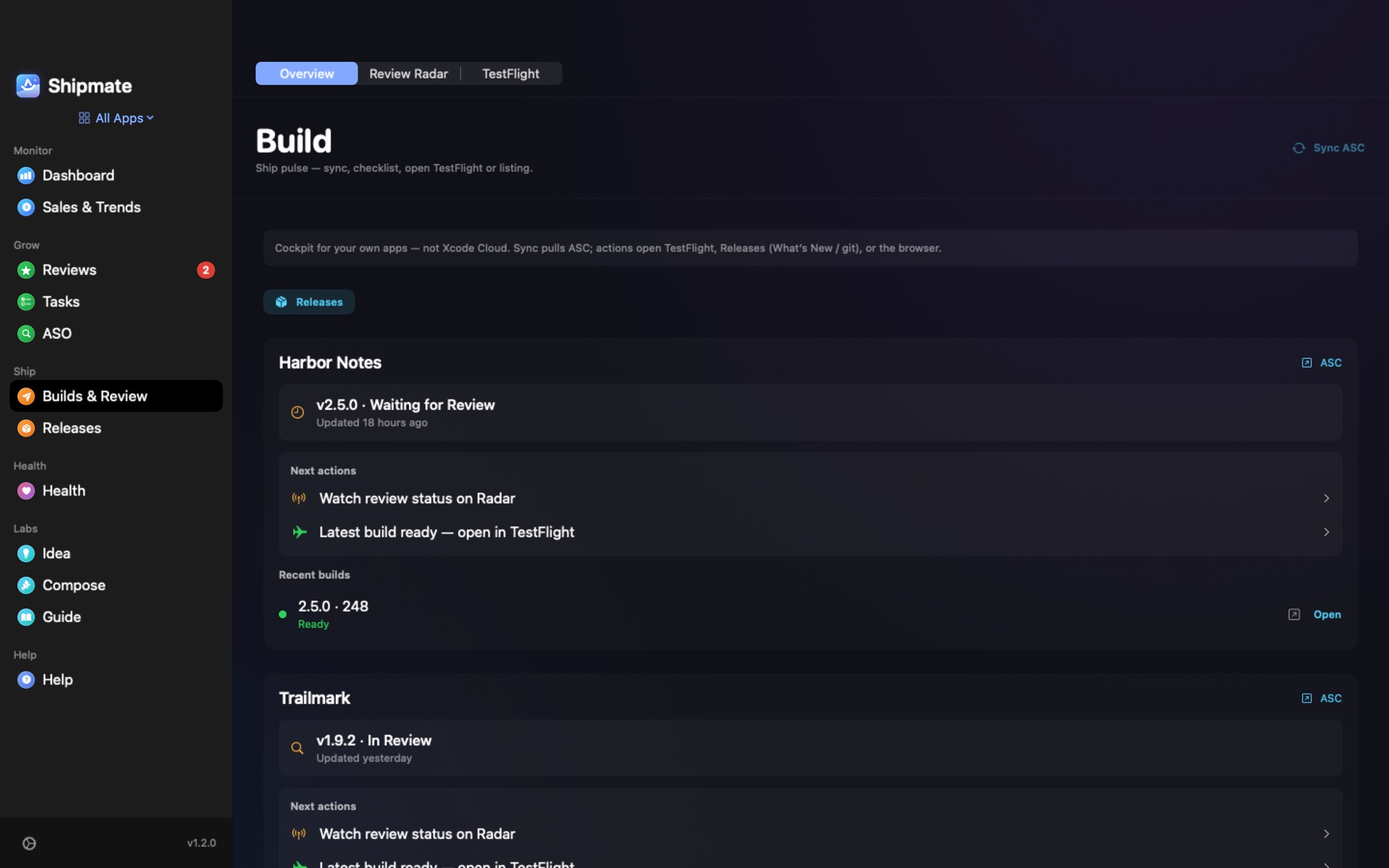
You press Submit for Review and then you refresh a page. This guide explains each status you can see in App Store Connect, using the names and meanings from Apple's own list, and what you should do when you land on it.
The statuses, in the order you meet them
| Status | Meaning (Apple) | What to do |
|---|---|---|
| Prepare for Submission | You created the app record and are still preparing its information. | Finish metadata, screenshots and build, then submit. |
| Ready for Review | All required metadata is in and you intend to submit, but have not yet. | Submit when you are ready; images and videos cannot be edited in this state. |
| Invalid Binary | You submitted, but the build does not meet current binary requirements. | Upload a new build or select a valid one. |
| Waiting for Review | Apple received the submission but has not started the review. | Wait. Nothing to do. |
| In Review | App Review is reviewing the app. | Wait; you can still remove the build from review. |
| Pending Developer Release | Accepted, and you still need to release it. | Release it when you want it live. |
| Pending Apple Release | Apple is holding the version until the matching OS version is public. | Wait. |
| Processing for Distribution | The app is processing and will be ready within 24 hours. | Wait. |
| Ready for Distribution | Accepted and ready for distribution (your agreements must be in effect). | It is live or about to be. |
| Rejected | The app was not accepted. | Read the message in Resolution Center and fix what it asks. |
| Metadata Rejected | Metadata was not accepted. | Edit the metadata, then reply to the App Review message. |
| Developer Rejected | You removed the app from review. | Resubmit a build when ready. |
Apple's list also has Accepted, Waiting for Export Compliance and the app-transfer statuses. Note that the current name is Ready for Distribution; older articles and some tools still say "Ready for Sale".
Source: Apple, App statuses.
How long does review take?
Apple does not promise a number, so treat anything you read as a guide. Several third-party guides report that most submissions are reviewed within about one to two days, with longer waits around busy periods and for apps that need extra scrutiny. Forum posts from developers show that individual cases can take much longer, and a rejection restarts the clock.
What this means in practice: plan releases with a few days of slack, and do not schedule a launch for the same afternoon you submit.
When "Waiting for Review" lasts too long
- Check that nothing else is blocking it, such as an agreement that needs accepting.
- Wait a few days before you worry; it is a queue.
- If it is still stuck well beyond what other developers report, contact App Review through App Store Connect's contact options and ask for the status, rather than resubmitting, which can put you at the back of the line.
When it is rejected
Open the message in the Resolution Center. It names the guideline that was not met. Fix exactly that, answer in the same thread if you need to explain, and resubmit. Reviewers are people: a calm reply with a clear fix or a screen recording works better than an argument.
Frequently asked questions
What is the difference between Waiting for Review and In Review?
Waiting for Review means Apple has your submission but has not started. In Review means a reviewer is looking at it now.
Is Pending Developer Release a problem?
No. It means the app was accepted and is waiting for you to release it.
Why does my app say Ready for Distribution and not Ready for Sale?
Ready for Distribution is the name Apple currently uses for an accepted app that can be distributed. "Ready for Sale" is the older wording.
Can I get notified when the status changes?
App Store Connect can notify you by email, and apps like Shipmate show the status of every version on your Mac and notify you when it changes.
See every version's status without refreshing
Shipmate shows the review status of every app and version in one window, with the recent TestFlight builds, and sends a notification when a status changes, so you stop refreshing App Store Connect.